

File dialogs
Open, save, and folder selection dialogs
File dialogs
Wails provides native file dialogs with platform-appropriate appearance for opening files, saving files, and selecting folders. Simple API with file type filtering, multiple selection support, and default locations.
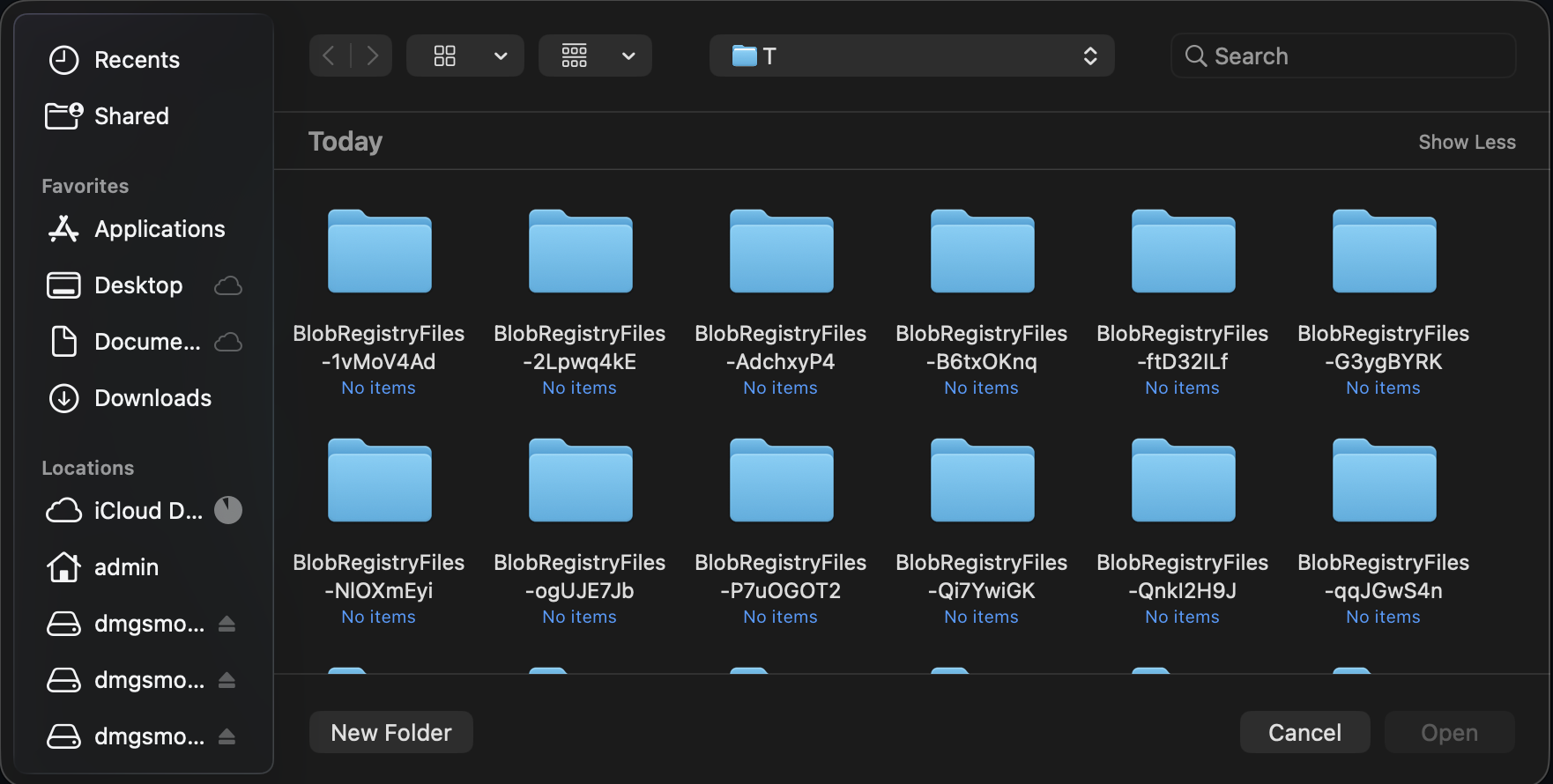
The Wails API delegates to the operating system’s picker, so familiar navigation, filtering, and selection behaviour are retained.
Creating File Dialogs
File dialogs are accessed through the app.Dialog manager:
app.Dialog.OpenFile()
app.Dialog.SaveFile()
Open File dialog
Select files to open:
path, err := app.Dialog.OpenFile().
    SetTitle("Select Image").
    AddFilter("Images", "*.png;*.jpg;*.gif").
    AddFilter("All Files", "*.*").
    PromptForSingleSelection()

if err != nil || path == "" {
    return
}

openFile(path)
Use cases:
- Open documents
- Import files
- Load images
- Select configuration files
Single File Selection
path, err := app.Dialog.OpenFile().
    SetTitle("Open Document").
    AddFilter("Text Files", "*.txt").
    AddFilter("All Files", "*.*").
    PromptForSingleSelection()

if err != nil || path == "" {
    // User cancelled or error occurred
    return
}

// Use selected file
data, _ := os.ReadFile(path)
Multiple File Selection
paths, err := app.Dialog.OpenFile().
    SetTitle("Select Images").
    AddFilter("Images", "*.png;*.jpg;*.jpeg;*.gif").
    PromptForMultipleSelection()

if err != nil {
    return
}

// Process all selected files
for _, path := range paths {
    processFile(path)
}
With Default Directory
path, err := app.Dialog.OpenFile().
    SetTitle("Open File").
    SetDirectory("/Users/me/Documents").
    PromptForSingleSelection()
Save File dialog
Choose where to save:
path, err := app.Dialog.SaveFile().
    SetFilename("document.txt").
    AddFilter("Text Files", "*.txt").
    AddFilter("All Files", "*.*").
    PromptForSingleSelection()

if err != nil || path == "" {
    return
}

saveFile(path, data)
Use cases:
- Save documents
- Export data
- Create new files
- Save as…
With Default Filename
path, err := app.Dialog.SaveFile().
    SetFilename("export.csv").
    AddFilter("CSV Files", "*.csv").
    PromptForSingleSelection()
With Default Directory
path, err := app.Dialog.SaveFile().
    SetDirectory("/Users/me/Documents").
    SetFilename("untitled.txt").
    PromptForSingleSelection()
Overwrite Confirmation
path, err := app.Dialog.SaveFile().
    SetFilename("document.txt").
    PromptForSingleSelection()

if err != nil || path == "" {
    return
}

// Check if file exists
if _, err := os.Stat(path); err == nil {
    dialog := app.Dialog.Question().
        SetTitle("Confirm Overwrite").
        SetMessage("File already exists. Overwrite?")

    overwriteBtn := dialog.AddButton("Overwrite")
    overwriteBtn.OnClick(func() {
        saveFile(path, data)
    })

    cancelBtn := dialog.AddButton("Cancel")
    dialog.SetDefaultButton(cancelBtn)
    dialog.SetCancelButton(cancelBtn)
    dialog.Show()
    return
}

saveFile(path, data)
Select Folder dialog
Choose a directory using the open file dialog with directory selection enabled:
path, err := app.Dialog.OpenFile().
    SetTitle("Select Output Folder").
    CanChooseDirectories(true).
    CanChooseFiles(false).
    PromptForSingleSelection()

if err != nil || path == "" {
    return
}

exportToFolder(path)
Use cases:
- Choose output directory
- Select workspace
- Pick backup location
- Choose installation directory
With Default Directory
path, err := app.Dialog.OpenFile().
    SetTitle("Select Folder").
    SetDirectory("/Users/me/Documents").
    CanChooseDirectories(true).
    CanChooseFiles(false).
    PromptForSingleSelection()
File Filters
Use the AddFilter() method to add file type filters to dialogs. Each call adds a new filter option.
Basic Filters
path, _ := app.Dialog.OpenFile().
    AddFilter("Text Files", "*.txt").
    AddFilter("All Files", "*.*").
    PromptForSingleSelection()
Multiple Extensions
Use semicolons to specify multiple extensions in a single filter:
dialog := app.Dialog.OpenFile().
    AddFilter("Images", "*.png;*.jpg;*.jpeg;*.gif;*.bmp").
    AddFilter("Documents", "*.txt;*.doc;*.docx;*.pdf").
    AddFilter("All Files", "*.*")
Pattern Format
Use semicolons to separate multiple extensions in a single filter:
// Multiple extensions separated by semicolons
AddFilter("Images", "*.png;*.jpg;*.gif")
Complete Examples
Open Image File
func openImage(app *application.App) (image.Image, error) {
    path, err := app.Dialog.OpenFile().
        SetTitle("Select Image").
        AddFilter("Images", "*.png;*.jpg;*.jpeg;*.gif;*.bmp").
        PromptForSingleSelection()

    if err != nil {
        return nil, err
    }

    if path == "" {
        return nil, errors.New("no file selected")
    }

    // Open and decode image
    file, err := os.Open(path)
    if err != nil {
        app.Dialog.Error().
            SetTitle("Open Failed").
            SetMessage(err.Error()).
            Show()
        return nil, err
    }
    defer file.Close()

    img, _, err := image.Decode(file)
    if err != nil {
        app.Dialog.Error().
            SetTitle("Invalid Image").
            SetMessage("Could not decode image file.").
            Show()
        return nil, err
    }

    return img, nil
}
Save Document with Validation
func saveDocument(app *application.App, content string) {
    path, err := app.Dialog.SaveFile().
        SetFilename("document.txt").
        AddFilter("Text Files", "*.txt").
        AddFilter("Markdown Files", "*.md").
        AddFilter("All Files", "*.*").
        PromptForSingleSelection()

    if err != nil || path == "" {
        return
    }

    // Validate extension
    ext := filepath.Ext(path)
    if ext != ".txt" && ext != ".md" {
        dialog := app.Dialog.Question().
            SetTitle("Confirm Extension").
            SetMessage(fmt.Sprintf("Save as %s file?", ext))

        saveBtn := dialog.AddButton("Save")
        saveBtn.OnClick(func() {
            doSave(app, path, content)
        })

        cancelBtn := dialog.AddButton("Cancel")
        dialog.SetDefaultButton(cancelBtn)
        dialog.SetCancelButton(cancelBtn)
        dialog.Show()
        return
    }

    doSave(app, path, content)
}

func doSave(app *application.App, path, content string) {
    if err := os.WriteFile(path, []byte(content), 0644); err != nil {
        app.Dialog.Error().
            SetTitle("Save Failed").
            SetMessage(err.Error()).
            Show()
        return
    }

    app.Dialog.Info().
        SetTitle("Saved").
        SetMessage("Document saved successfully!").
        Show()
}
Batch File Processing
func processMultipleFiles(app *application.App) {
    paths, err := app.Dialog.OpenFile().
        SetTitle("Select Files to Process").
        AddFilter("Images", "*.png;*.jpg").
        PromptForMultipleSelection()

    if err != nil || len(paths) == 0 {
        return
    }

    // Confirm processing
    dialog := app.Dialog.Question().
        SetTitle("Confirm Processing").
        SetMessage(fmt.Sprintf("Process %d file(s)?", len(paths)))

    processBtn := dialog.AddButton("Process")
    processBtn.OnClick(func() {
        // Process files
        var errs []error
        for i, path := range paths {
            if err := processFile(path); err != nil {
                errs = append(errs, err)
            }

            // Update progress
            // app.Event.Emit("progress", map[string]interface{}{
            //     "current": i + 1,
            //     "total":   len(paths),
            // })
            _ = i // suppress unused variable warning in example
        }

        // Show results
        if len(errs) > 0 {
            app.Dialog.Warning().
                SetTitle("Processing Complete").
                SetMessage(fmt.Sprintf("Processed %d files with %d errors.",
                    len(paths), len(errs))).
                Show()
        } else {
            app.Dialog.Info().
                SetTitle("Success").
                SetMessage(fmt.Sprintf("Processed %d files successfully!", len(paths))).
                Show()
        }
    })

    cancelBtn := dialog.AddButton("Cancel")
    dialog.SetCancelButton(cancelBtn)
    dialog.Show()
}
Export with Folder Selection
func exportData(app *application.App, data []byte) {
    // Select output folder
    folder, err := app.Dialog.OpenFile().
        SetTitle("Select Export Folder").
        SetDirectory(getDefaultExportFolder()).
        CanChooseDirectories(true).
        CanChooseFiles(false).
        PromptForSingleSelection()

    if err != nil || folder == "" {
        return
    }

    // Generate filename
    filename := fmt.Sprintf("export_%s.csv",
        time.Now().Format("2006-01-02_15-04-05"))
    path := filepath.Join(folder, filename)

    // Save file
    if err := os.WriteFile(path, data, 0644); err != nil {
        app.Dialog.Error().
            SetTitle("Export Failed").
            SetMessage(err.Error()).
            Show()
        return
    }

    // Show success with option to open folder
    dialog := app.Dialog.Question().
        SetTitle("Export Complete").
        SetMessage(fmt.Sprintf("Exported to %s", filename))

    openBtn := dialog.AddButton("Open Folder")
    openBtn.OnClick(func() {
        openFolder(folder)
    })

    dialog.AddButton("OK")
    dialog.Show()
}
Import with Validation
func importConfiguration(app *application.App) {
    path, err := app.Dialog.OpenFile().
        SetTitle("Import Configuration").
        AddFilter("JSON Files", "*.json").
        AddFilter("YAML Files", "*.yaml;*.yml").
        PromptForSingleSelection()

    if err != nil || path == "" {
        return
    }

    // Read file
    data, err := os.ReadFile(path)
    if err != nil {
        app.Dialog.Error().
            SetTitle("Read Failed").
            SetMessage(err.Error()).
            Show()
        return
    }

    // Validate configuration
    config, err := parseConfig(data)
    if err != nil {
        app.Dialog.Error().
            SetTitle("Invalid Configuration").
            SetMessage("File is not a valid configuration.").
            Show()
        return
    }

    // Confirm import
    dialog := app.Dialog.Question().
        SetTitle("Confirm Import").
        SetMessage("Import this configuration?")

    importBtn := dialog.AddButton("Import")
    importBtn.OnClick(func() {
        // Apply configuration
        if err := applyConfig(config); err != nil {
            app.Dialog.Error().
                SetTitle("Import Failed").
                SetMessage(err.Error()).
                Show()
            return
        }

        app.Dialog.Info().
            SetTitle("Success").
            SetMessage("Configuration imported successfully!").
            Show()
    })

    cancelBtn := dialog.AddButton("Cancel")
    dialog.SetCancelButton(cancelBtn)
    dialog.Show()
}
Best Practices
✅ Do
- Provide file filters - Help users find files
- Set appropriate titles - Clear context
- Use default directories - Start in logical location
- Validate selections - Check file types
- Handle cancellation - User might cancel
- Show confirmation - For destructive actions
- Provide feedback - Success/error messages
❌ Don’t
- Don’t skip validation - Check file types
- Don’t ignore errors - Handle cancellation
- Don’t use generic filters - Be specific
- Don’t forget “All Files” - Always include as option
- Don’t hardcode paths - Use user’s home directory
- Don’t assume file exists - Check before opening
Platform Differences
macOS
- Native NSOpenPanel/NSSavePanel
- Sheet-style when attached to window
- Follows system theme
- Supports Quick Look preview
- Tags and favourites integration
Windows
- Native File Open/Save dialogs
- Follows system theme
- Recent files integration
- Network location support
Linux
- GTK file chooser
- Varies by desktop environment
- Follows desktop theme
- Recent files support
Next Steps
Info, warning, and error dialogs.
Create custom dialog windows.
Call Go functions from JavaScript.
Use events for progress updates.
Questions? Ask in Discord or check the file dialog examples.